Get Premium
Dark mode theme is available exclusively for premium users. Learn more about the benefits of subscribing.
No fees, cancel anytime.

 Dark Mode Ad-Free Browsing Unlimited Content
 Ad-Free Browsing Unlimited Content Dark Mode
Join 1.2 million Panda readers who get the best art, memes, and fun stories every week!




Even as a child, I heard the wonderful phrase “Free cheese only comes in a mousetrap,” and almost with every passing year, I became more and more convinced of the correctness of these wise words. And indeed, for almost everything really good in this life, you have to pay. Unless it’s friendship, love, or free software...
In fact, among the tons of freeware on the internet, there are genuine masterpieces that are not only comparable in interface and capabilities to the best examples of commercial applications but sometimes even surpass them.
If you’re looking for expert-picked resources, this list of top web app development companies from Brainhub highlights firms that actually deliver on performance and innovation.
This collection from Bored Panda, based on this viral online thread, is dedicated specifically to such apps and programs.
More info: Reddit
This post may include affiliate links.
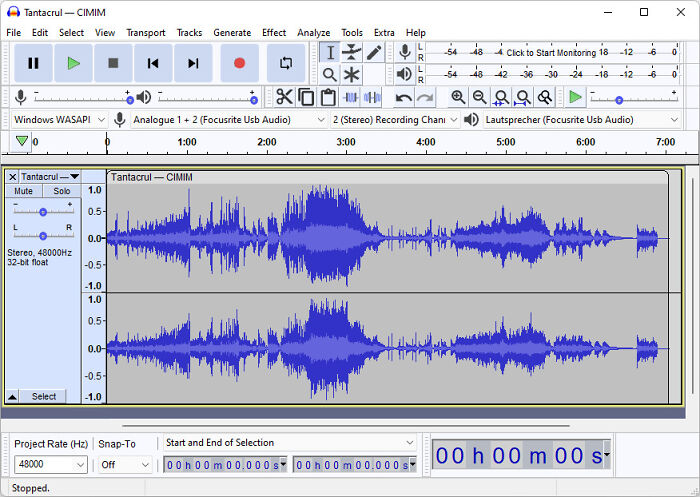 Nobody on here talking about Audacity? Really solid audio editing with a billion plug-ins for formats, opening videos, new filters, etc.



Audacity is so good. We used it at journalism school for editing radio.

Love audacity! It's great for cutting audio together right to the millisecond.

Yeahz it's still good, but the interface man, it really needs a redesign, when it came out it was fine compared to the audition of the time, but now is just too damn old.



Love it, but a bit steep of a learning curve unless you are familiar with sound editing software and processes.
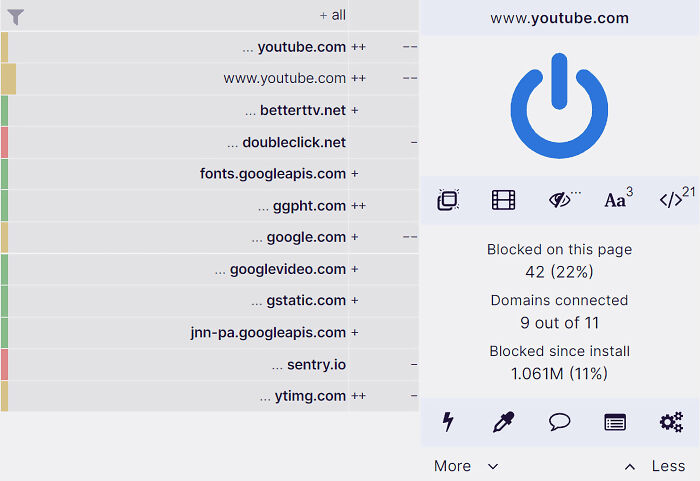 Ublock origin.

YES. Have been using for about three years now. I almost never see an ad. It's free but I'd encourage sending the author a donation. And for Facebook - FBPurity. (Fluff Buster Purity - used to be called Facebook Purity). Have it on my PC. Don't see ads. Recently traveled with a tablet that didn't have it - was shocked at how many ads are in my FB feed these days.





Use DuckDuckGo browser. It opens most Youtube videos in its own player and there are no ads. They also block trackers.

I recently switched to this after spending money hand over fist for another provider. Best thing I ever did.

I used ublock origin for years, but it just stopped working, I switched to adblock plus....much better
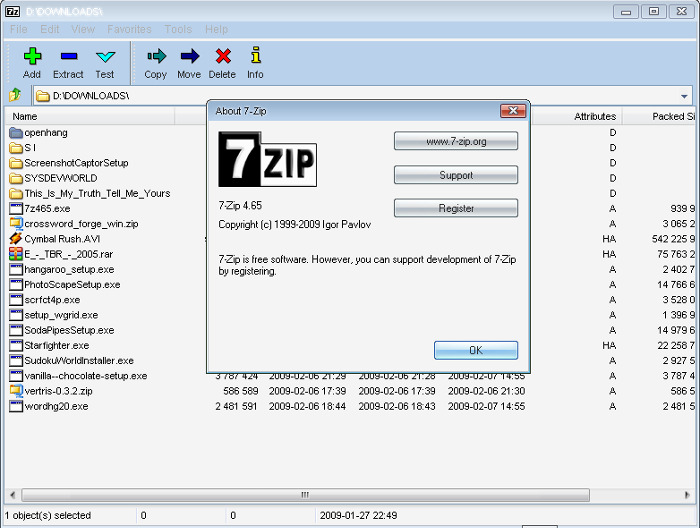 7-Zip, VLC Media Player, Vocal Pitch Monitor and Calculator.


And the inventor gave it away for free. Not all heroes wear capes.
Load More Replies... VLC is really the best. I don't know many people who don't use it. It's astounding to me that it's free. It plays everything.


Some of the programs presented here work exclusively on a freeware basis, some provide only part of their functionality for free (but quite enough for convenient and effective work). But they all have one thing in common - these are truly decent tools, and people in the original thread are really surprised. What is the reason for such selflessness and altruism?
In a nutshell, why do you have to fork out some hefty money for sometimes less functional and ergonomic programs, when these are available completely for free?
 Firefox.

PSA folks, if you're still on Chrome, switch to FF. Chrome's privacy/security is atrocious and they're also planning to launch a new version that will render ad-blockers unusable. Firefox is an exact opposite. And it has to be Firefox, NOT Brave or something, since all except FF are based on Chromium.

Addendum PSA to any web devs that switched to Chrome years ago because Firefox's dev tools weren't as good: Firefox has since caught up
Load More Replies...
I've used Firefox since it was a cub. However, if you have an older device, such as an Android tablet, you may find the some websites no longer work on it. Many people use Let's Encrypt for their SSL certificates and a recent change means that their certificates are no longer trusted by operating systems which are no longer receiving updates (in particular to the root certificates store). Firefox has its own root certificate store built in and means you can can validate Let's Encrypt certificates properly instead of having to force the browser to trust them each time.

I was an avid FF user at one point until my hubby convinced me Chrome was better. At the time, it was, but now y'all have convinced me to return to FF. Thanks!

I like to try every new browser that comes down the pike, but always go back to Firefox.

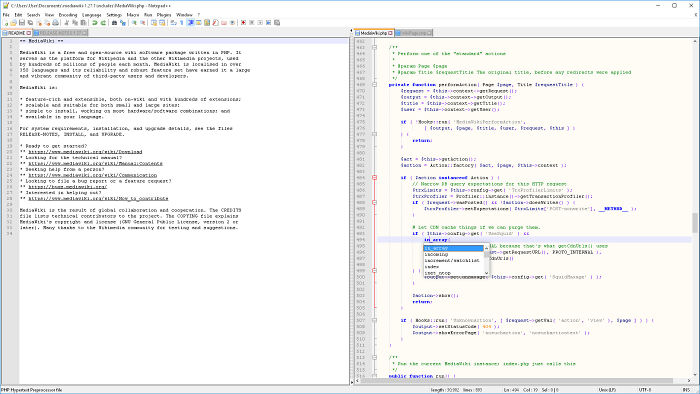 Notepad++.

Very useful for quick light weight editing of technical files and editing raw data on files

Love notepad++, I did once have an issue opening a really big file that opened okay in notepad.
I'm too old to go hunting the marbles I lost getting too old.... I know this is simple, and have tried to learn it all, ugh, no. I just write silly poems and mindless political rants. Most of the cool stuff is either over my head, or I've forgotten what it's for. But it gets a lot of stars!


Try Metapad instead. I love "transparent mode", which allows you to see through Metapad. You can see what's in another full screen app while Metapad is full screen if you're typing it in from an image. [ https://liquidninja.com/metapad/ ]
I'm an old head and this is what I use when coding the basic structure of a new web. It.just.works.

For coding I personally loved Aracnophilia 4.0. It's so old and I'm really dating myself but it had a really fantastic color-coded interface and a previewer so you could see what everything looked like before posting. I still use it occasionally but it's become obsolete and doesn't work as well as it used to. They upgraded to a new version but I hated the upgrade.
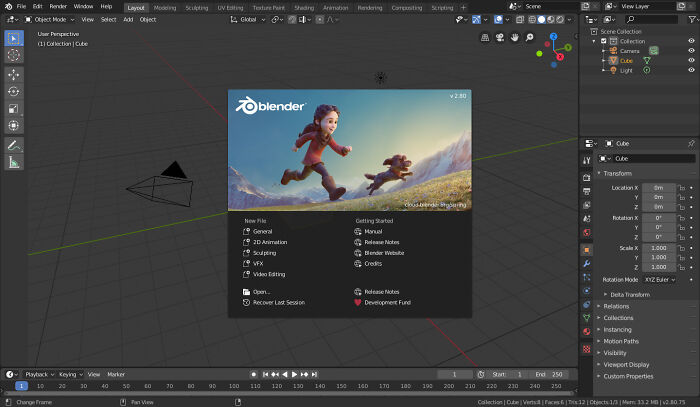 Blender. It became an insane 3D modeling tool, that can also handle animation, rigging etc..
There is a big community always ready to help, create plug-ins etc.. After using 3ds Max and Maya for years i've switched to Blender and it feels so much better(maybe not for riging, Maya is still the goat here ^^).
Blender. It became an insane 3D modeling tool, that can also handle animation, rigging etc..
There is a big community always ready to help, create plug-ins etc.. After using 3ds Max and Maya for years i've switched to Blender and it feels so much better(maybe not for riging, Maya is still the goat here ^^).
For my money this should be number one, or very close. Consider that it's not only a highly complex piece of software, incredibly versatile, but also basically industry standard. That meets the post title better than any in this list.
Wish I was smart enough to understand all of this! I sure could use it! When I was young, I may have had enough brain cells to work with it. Everyone has good things to say about it!
We used both Blender and Maya at UNI for game development. I like the look of Maya better, but Blender is a really good program!
Well, in fact, there are many nuances that explain how developers have the opportunity to release free software. Some programs come with built-in advertising, some during installation additionally offer to install 'affiliate' software, and for the opportunity to use others for free, we actually pay by providing our own personal data. As the saying goes, 'if you don't pay for the product, you may be the product yourself...'
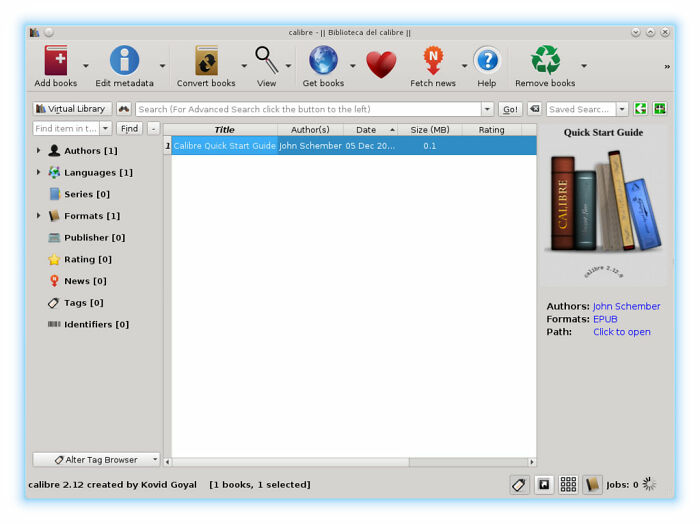 Calibre.
Seriously. Please put what the program is used for so we know!
Load More Replies... 
I'm intrigued but are there advantages over simply emailing a pdf to my kindle?

It handles just about any kind of ebook file, and can convert to what your device can handle. This means that non-pdf files can have the text resized, font changed etc, unlike a pdf (well, on my kindle at least. But I acknowledge that mine is practically antique at this point, being 2nd gen). I much prefer to convert files than use a pdf if at all possible.
Load More Replies...
Calibre is good, for sure, lots of bells and extra whistles! For reading online, I do wish it was easier. Some texts are only readable this way, so I use it, but I would rather read a PDF version. Tried it this morning and the text was a few pages from my health insurance. It opened in a window with no scroll bars or any options, settings, buttons. Move the cursor, and it all slides a bunch of pages away. Not easy to read! That isn't how it normally works!

Yes. An excellent bit of software. Makes so many e-books so much more accessible.


For most, and people are constantly creating plugins for others. I've used it on a Nook, Kobo, Fire tablet and Android device.
Load More Replies...

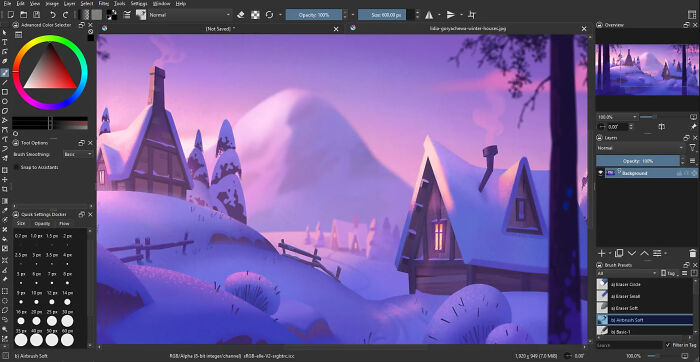 Krita - Best alternative to photoshop.
I know it exists, never tried it. Always considered GIMP to be the closest free alternative to Photoshop.
I use The Gimp, and to my eye it's a Photoshop workalike. And without the price tag and the platform limitations.
Load More Replies...

If say Photopea instead. Also quite compatible with PSD files and because it runs locally via your browser, fonts are not an issue.
Ooo! New to me! I have been running Corel's 'Paint Shop Pro', since before Corel, when it was JASC, and free. I still don't know it well, but it works for me! I am going to try this one, and I haven't tried GIMP in a long time, thanks!!

The claim that "there are genuine masterpieces that are not only comparable in interface and capabilities to the best examples of commercial applications, but sometimes even surpass them" does not mean that every entry in the list "must be better than its paid rivals."
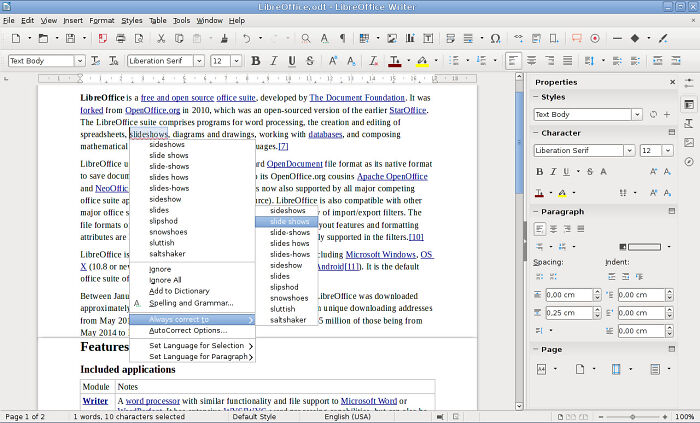
Load More Replies... I used to love open office, which I'm assuming is probably similar. But it has major spell check issues. I literally have to take everything I write and put it in a basic gmail email so I'll get a better spell check. But it's free what can I say.
Libre was originally an OO fork. After OO went payware, LO stayed free. I'm still using it 15 years later.
Load More Replies... 
love libreoffice. it works pretty much the same as microsoft office.
I don't Process my Words too often. I just let them spew out the keyboard, but LibreOffice gave me more trouble than Open Office. When I tried it, I remember reading some stuff about Libre replacing Open, If that is so, they have to add a lot more "friendly" to it!

Yeah it's solid, but not "unbelievable". It's somewhat worse than office for a few things (like drawing), and Office is NOT THAT GREAT. And 99% of users use less than 1% of the features anyway!!

Me too. It has a better AutoText function than LibreOffice. Also, it comes as OpenOffice Portable, that you can load on a USB drive. When launched (from Windows or iOS or Linux), the program on the USB drive checks to see which OS it is and then runs in the proper mode.
Load More Replies...However, many people honestly believe that software should be free - simply based on philanthropy and strong principles. For example, back in 1983, the GNU Project was launched, the goal of which is “to give computer users freedom and control in their use of their computers and computing devices by collaboratively developing and publishing software that gives everyone the rights to freely run the software, copy and distribute it, study it, and modify it." And some of the programs and apps presented in this list are distributed under the free GNU license.
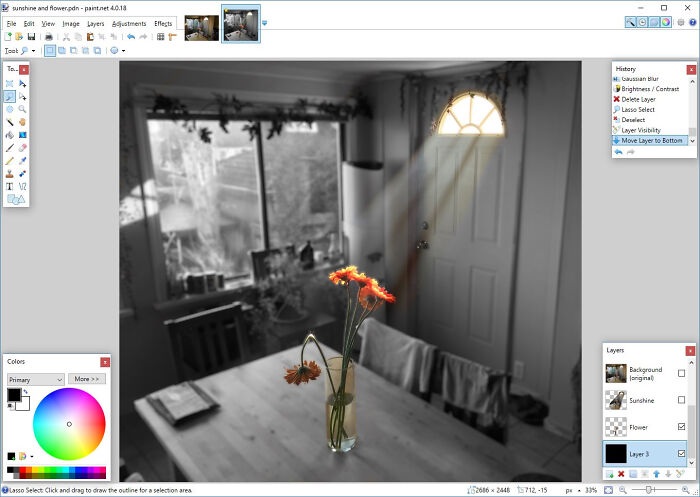 Paint.net.



For me this is the closest to how old Paintshop used to work, I can’t get the hang of Gimp.
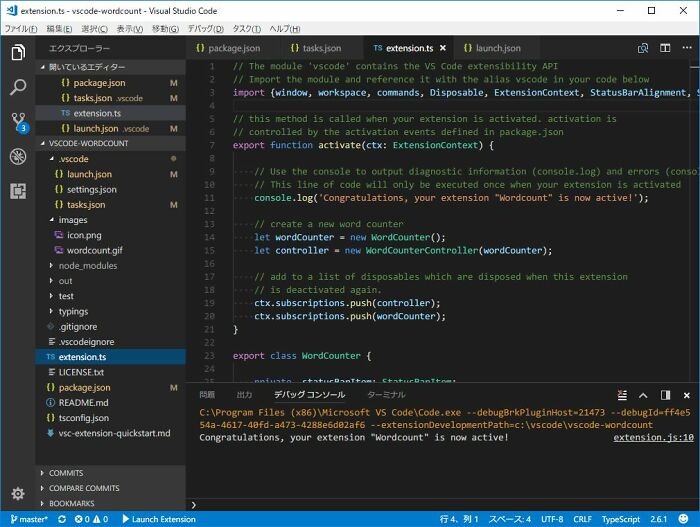 Visual Studio Code. I use it on my Mac - and while I have a full blown paid for version of Visual Studio on my work PC, the fact that I have almost all of the same features of an IDE for free makes me so happy. I'm always waiting for them to start charging me for it - because methinks one day they will. Till then I'll keep using this wonderfully free bit of software. Thanks Microsoft.


Compared to free version of IntelliJ, it seems not much better than Notepad++ for programming. But I haven't used it a lot yet. Maybe I just don't know how to access features yet.

The python support on paid intellij is garbage, I doubt the community version is any better. That said it is amazing for Java or kotlin.
Load More Replies... 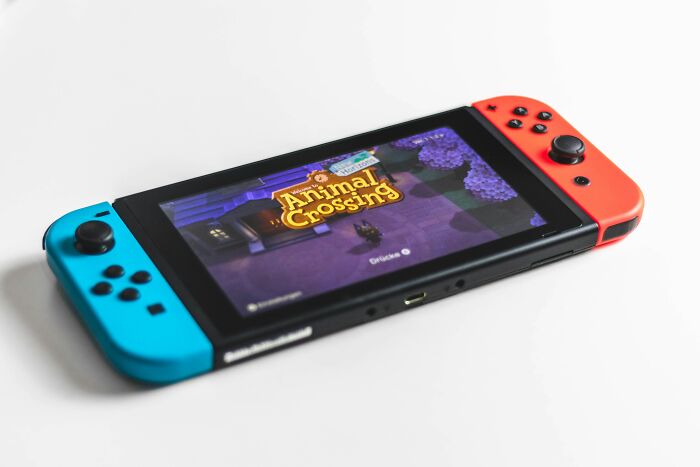 Rom emulators. Imagine having all the nintendo games, even the rare stuff that wasnt imported.

Yes! This is how I play all my favorite Pokémon games on my phone (gens 1-3).
Got one on my phone solely to play Legend of Zelda: Link to the Past (SNES game) ❤️

A few years back I picked up an NVIDIA Shield. Generation 1 model with the two thumb sticks the control pad and the shoulder buttons and face buttons just where they should be. Perfect for all those old SNES games I loved in the 90s.
Be that as it may, there is always strength in variety and diversity, and as long as there are free options for performing this or that task, this will also encourage commercial developers to release more effective solutions and not raise the prices of their products to the skies. At least that's what we believe. And we also believe that this collection may come in handy to you - after all who knows, maybe one of the programs listed here will be a real useful find for you?
By the way, if you know of an application that is also useful, convenient and free, but is not listed in this selection, why not share your wholesome find in the comments below? Because as long as we cooperate, we are almost invincible.
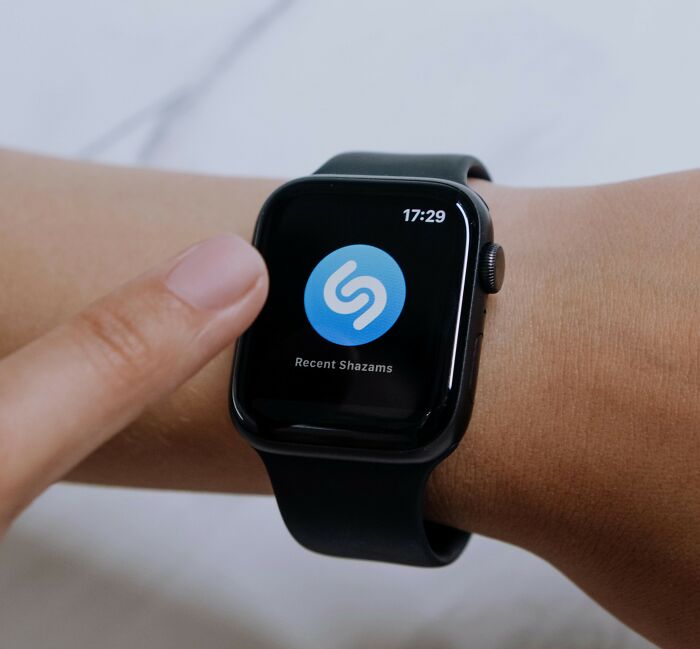 Shazam.

If anyone knows of a Shazam for bird sounds, I'd love to hear it. There is a bird that comes around at night here I want to Shazam so bad. Someone make it happen.

Thanks Cassie! I believe I have that! Somewhere... I remember it was just so hard to find an opportunity to use it! It worked a few times, but the music on won't cooperate, or too much noise, or I'm busy, distracted, asleep, eating, etc. ...

Brilliant. Sat in a bar in Rhodes listening to some great background music. Shazammed it all and then created a Spotify album of the tracks.
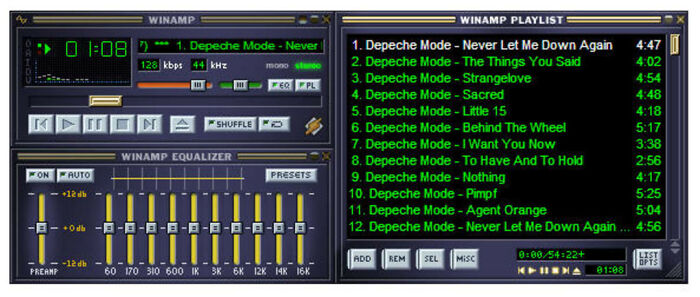 Winamp, it really whips the llama's a*s.

Devo: https://youtu.be/IIEVqFB4WUo?si=7y2EF8jhGzSp7wjP /s
Load More Replies... I listen to most of my music on spotify these days but I really miss the Milkdrop 2 visualizer in Winamp. You could load others of course but milkdrop was my favorite.
I was heavy in the visualizer scene back in the mid 2000s. Mostly worked with AVS though. Got pretty good at pseudo 3d effects.
Load More Replies... Winamp STILL suffices, no need to use something newer unless winblows takes away backwards compatibility.
I know I'll get roasted for this but I still enjoy my old Windows Media Player (Legacy ). I feel like every program out there is so bulky and does things I don't need. I just want a basic mp3 player that I can put into playlists and sync with my phone. I don't need to download lyrics. I don't need images from the internet. I don't need to know the origin story of every song. I don't need it to write an essay. And so many programs won't let you put playlists/tracks into the order you want, which is crazy to me! I want to listen to the songs I like in a specific order. Some bulkier programs make it difficult to sync to your phone. I tried using Media Monkey for a while and it was okay but synching was such a chore.
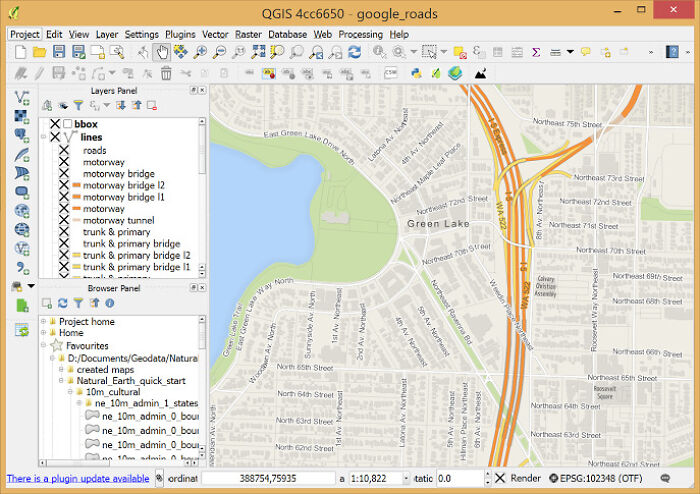 QGIS. So this is massively nerdy, but for most imagery, mapping and geospatial analysis tasks, it s***s on its thousands-of-dollars-per-year competitors, and comes with a global community of users and plugin-makers.
As someone pants with directions, I would need this hardwired into my brain. XD
This is not navigation software. This is software for creating maps. The attraction for QGIS is that it has a similar UI to ESRI's Arc family of map making tools, but QGIS is free. ESRI rents their software by the year and by the user, so a small government user might pay upwards of $100,000 per year for a group of 20 users with the "special", but necessary, add-ons. The Arc software was written when DOS dominated the PC market, and all they've done to modernize is emulate Windows versions. Another (paid) map making program, Manifold, uses Microsoft's libraries so there is no emulation necessary. The Manifold database is especially speedy and can handle very large amounts of data in a fraction of the time it takes ESRI or QGIS. If you have to use ESRI, it's actually faster to do the computational stuff in Manifold and export back to ESRI for the bells and whistles.
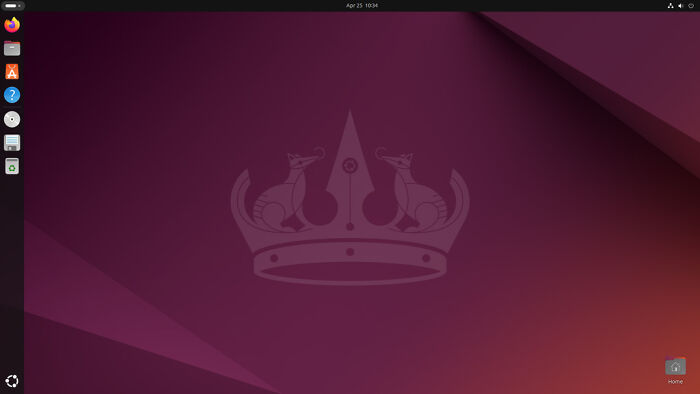 Ubuntu
Gimp
Inkscape
Wikipedia.
Ubuntu
Gimp
Inkscape
Wikipedia.

I have all of these. Wikipedia is by far the most useful. You know what Google is, right, Google is Wikipedia's user interface.
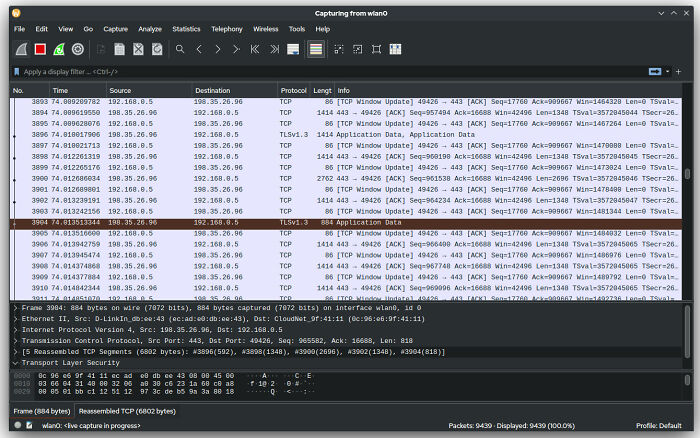 Wireshark. Insane what it can it do to analyze network traffic. Best packet sniffer out there.
Yeah, but watch where you run it. Do that at work and you might just find youself out of a job!

actually the whole Kali Linux. You can run it using on Windows with Virtual Box that is also free.

I don't know how to use Wireshark but have watched multiple do so. They essentially always find the problem simply and quickly. There is always that one time ... but we don't worry about that.
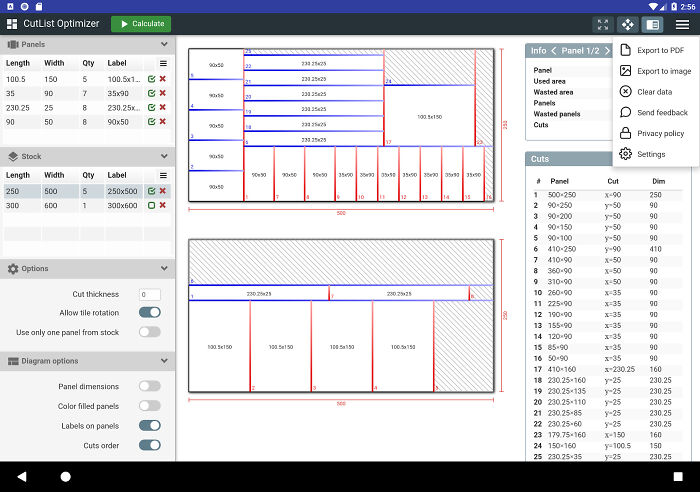 Cutlist Optimizer. Sets up optimal cuts for plywood and other sheet goods. Saves me so much headache trying to figure out the best and most economical ways to cut pieces for cabinetry while keeping waste to a minimum. It can even account for blade kerf which is a huge plus, and the cut diagrams are labeled and color coded in a way that’s very easy to read.

Would a cultist optimizer account for sacrificial blade kerf?
Load More Replies... Ooo! I wish I had this way back when I could afford wood! Here in the future, there is no such thing. Just slabs of sawdust and Elmer's. This looks like a handy program, anyway!
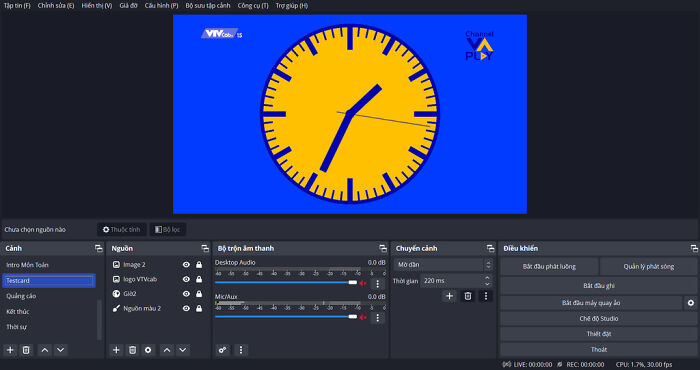 OBS and inkscape.
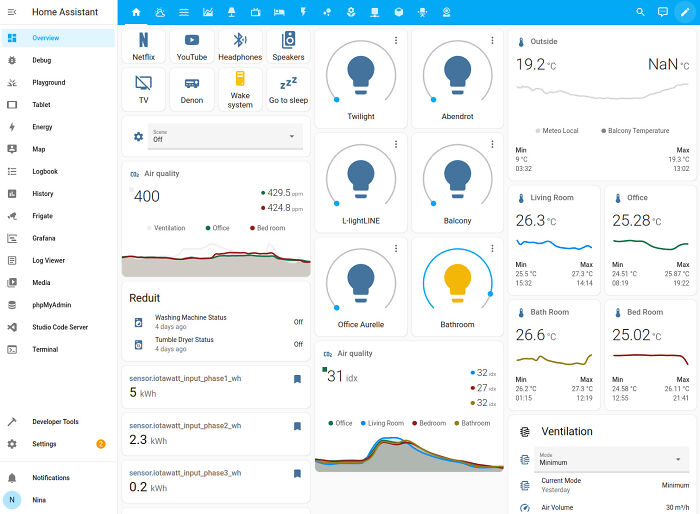 HomeAssistant.
If you've ever tried using "Smart Home" products from Google, Amazon, Samsung, or others - there are probably a long list of ways that you end up disappointed, wishing it just did more, or just did it better.
Home Assistant is the answer. It does Smart Home very well. Far better than any of the commercial offerings.
HomeAssistant.
If you've ever tried using "Smart Home" products from Google, Amazon, Samsung, or others - there are probably a long list of ways that you end up disappointed, wishing it just did more, or just did it better.
Home Assistant is the answer. It does Smart Home very well. Far better than any of the commercial offerings.

I accidentally Googled "Hoe Assistant" and now I'm thinking there should be a parody app there........ About gardening, of course, there are kids on this site...
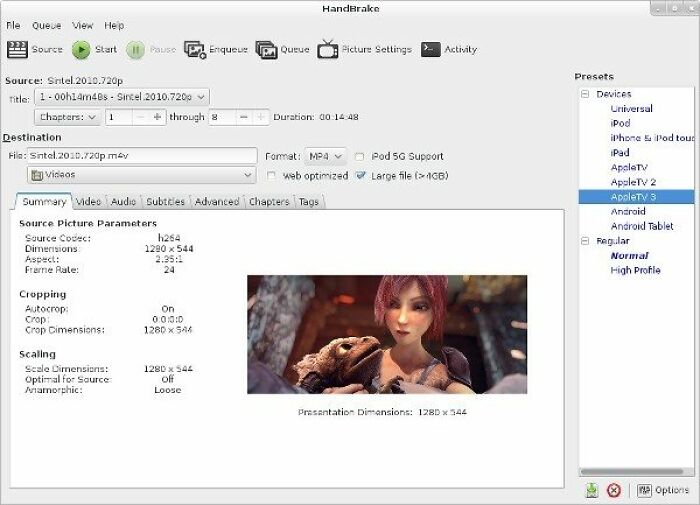 Handbrake for videos.

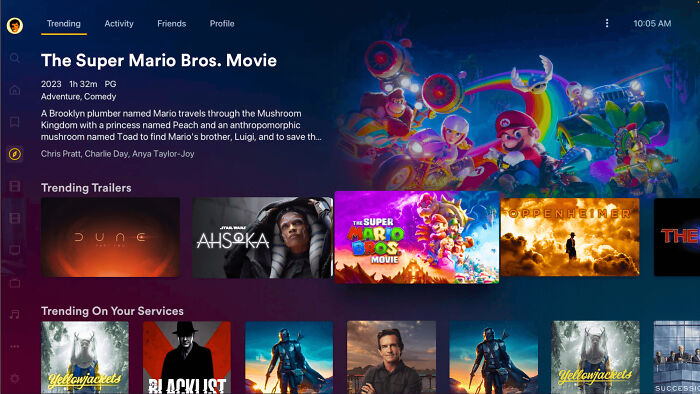 Plex Media Server.
There are paid tiers, but the free one is more than enough for a large portion of users.
Plex Media Server.
There are paid tiers, but the free one is more than enough for a large portion of users.
Plex is the best free multimedia streaming server, that are supported on a lot of devices..
Plex is fantastic, and PlexAmp has now replaced every other streaming player I used to (try and) use.
I set this up but don't use it much. Plex is good, along with a few others, it's my time to watch that is limited! I just look through these 'portals' and click off a few thousand 'want to see' vids, then get back to reality!


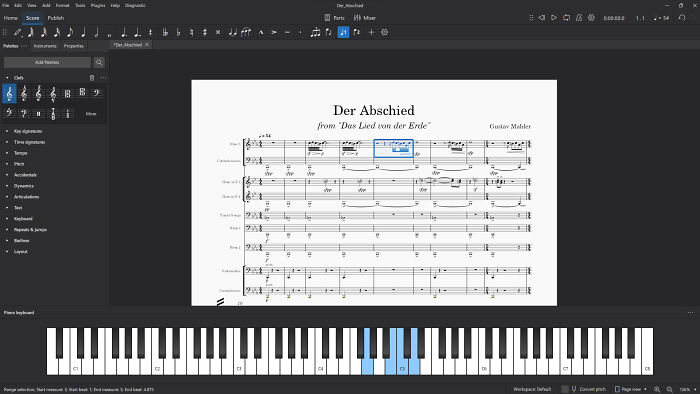 Musescore.
Yeah MusixTeX + Lilypond was a nightmare last time I tried (10y ago?). That's speaking as a LaTeXnerd.
I… dislike playing from scores made with MuseScore. It makes ugly scores, and allows for too many mistakes so you can write absolute nonsense in it. It does have a purpose for sharing arrangements, throwing together quick accompaniments and being easy to use for beginners, but I vastly prefer Lilypond (+Frescobaldi) for writing scores and parts.
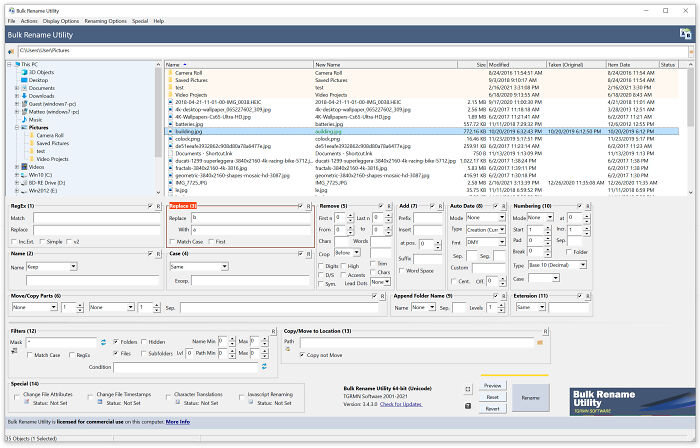 Bulk Rename Utility. Renames batches of files with excellent utility, including regex and preview.
I don't know why I would need this, but somehow, I think I do. Windows seems to enjoy changing random file names for me. It would be hard to assemble large groups of files to do this to. I'll give it a try!

I used to use this for renaming my MP3's YEARS ago, but now I'm grown up (ahem) I use it for batch renaming scanned invoices. It is a life saver!
Python. It’s mind blowing that it’s free given how powerful it is. Also QGIS.
Don't know of any programming language that is fully paid for. I'm sure it wouldn't survive unless it's the only choice in some area. Heck I don't even know of programming languages that have free and paid tiers, as in usage of the language itself and not the tools around the language.

i can think of Matlab, bet even they have some free tier
Load More Replies... 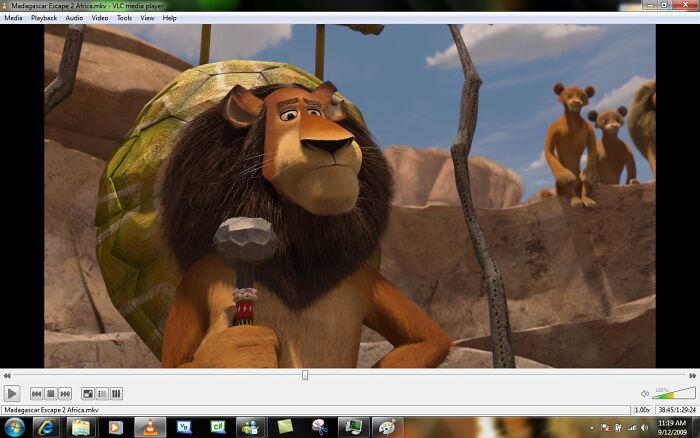 Vlc, qtorrent, kdenlive.

VLC is a media player. QTorrent is, as the name suggests, torrent software. KdenLive is a video editor.
Load More Replies... 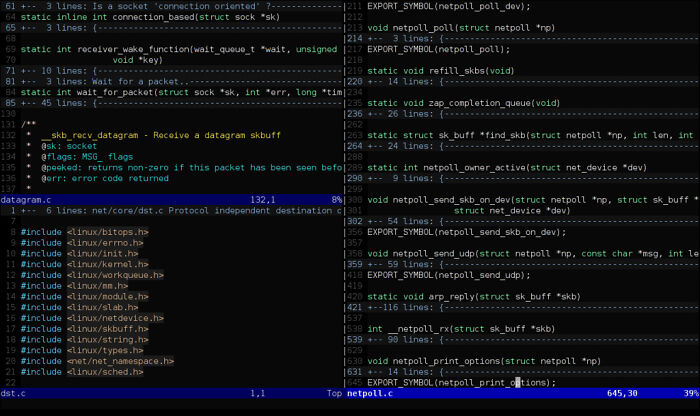 Vim. I basically live in it (because I can’t figure out how to exit it, badoom tish).
ImageMagick. Practically anything you could want to do to an image, you can do from the command line. Of course, you’ll probably have to Google for the correct recipe first, but my *god* are there a lot of them out there.
Vim. I basically live in it (because I can’t figure out how to exit it, badoom tish).
ImageMagick. Practically anything you could want to do to an image, you can do from the command line. Of course, you’ll probably have to Google for the correct recipe first, but my *god* are there a lot of them out there.
Upvote for the joke about not being able to exit. If you use Vim, you definitely started out forgetting how and having to look it up on another computer at least once!
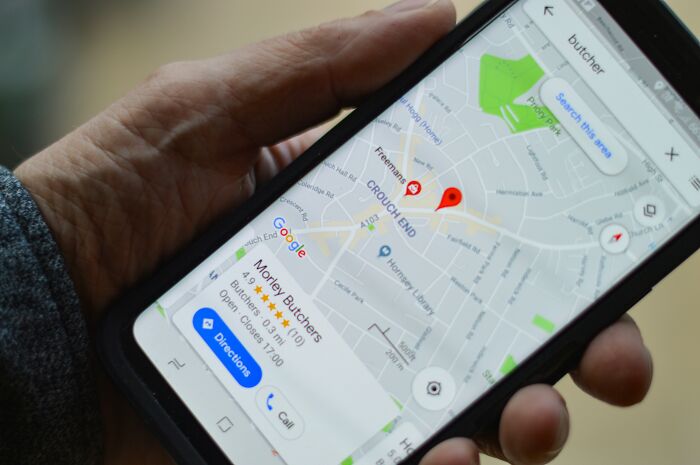 Google maps
ChatGPT
Google docs.
Google maps
ChatGPT
Google docs.

Yeah, I use it only for file sharing. Back in the day the company I worked for was moving towards it instead of Word, and I hated hated hated it. Multiple people editing documents at the same time with no real easy papertrail to see who did what and when.
Load More Replies... 
ChatGPT is a copyright infringing, s****y, product. Also, it's not free.
Don't get me wrong, google maps is a godsend. But it's like... you know those movies where the gangster's spoiled brat son is treating everyone badly and everyone puts up with it because they have to? That's Google maps. It drives me crazy, takes a while to load, sometimes it waits too long to alert you to a turn, it's way more bulky than it needs to be but... it's what we got so we put up with it.
Chat GPT does not count, this is list of free software that is better than the paid alternative, since ChatGPT is got a paid version that is better, it does not meet the specs of this list.
I don’t know why but Google Maps was absolutely useless to me (as a pedestrian) in London.
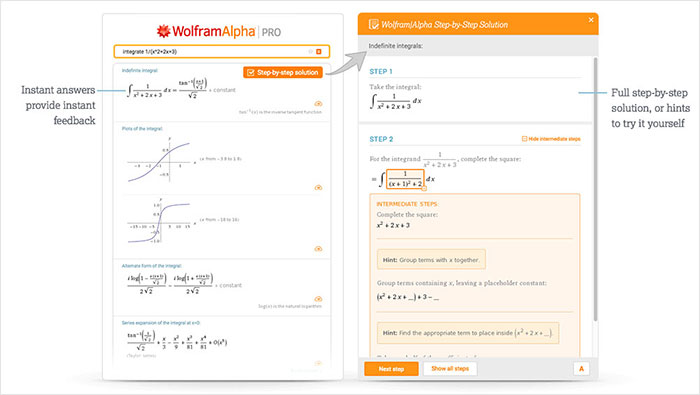 Wolfram alpha together with photomath. Literally learning mpvs.
Yeah I remember paying $1000 (or so it seemed) for the "cheap" Wolfram Mathematica student edition circa 2000. My love for Wolfram has never returned.
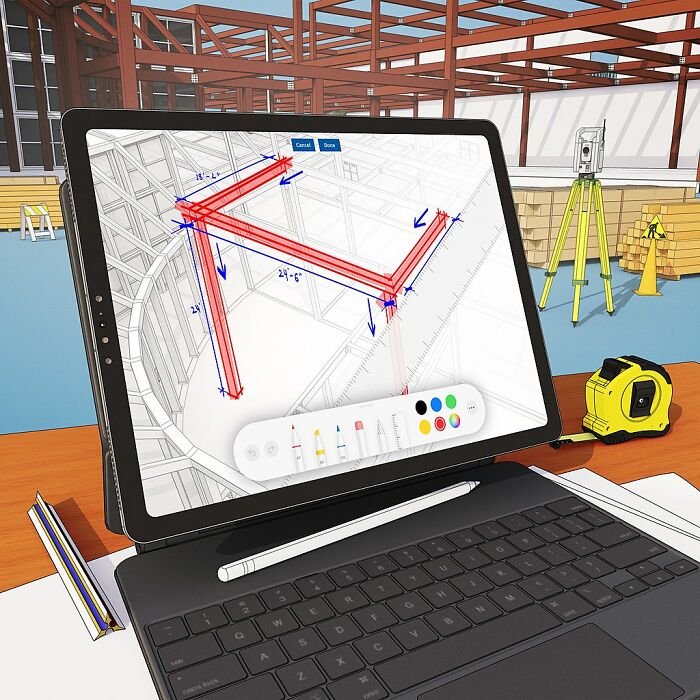 Sketchup free version is pretty great. And the paid version is is not too expensive either when compared to Autodesk prices.
SketchUp is no longer free, also it has no big competitors, since it really does not work well for blueprints like autocad, doesn't have the features for 3d printing, lacks in modeling sufficient for rendering, cannot do videogame assets, it is great don't take me wrong, I Just think it exist on a category of it's own, 3d sketching I guess. Which is niche and a bit unusual that has no real competitor.
Yeah it kept changing, "Google Sketchup" then sold to Trimble who wanted money; but the supremely frustrating in-browser version is free?
Load More Replies...
I've always wanted to fiddle with CAD stuff. This was my Pop's living for 50 years. With a pencil. The last few years were showing the AutoCAD nerds how wide doors should be, and don't put any on the outer wall. It's the 27th floor! He was the busiest in the office!
The last free desktop version was SketchUp Make 2017. For my designing needs (room layouts, furniture, other small stuff) it's completely enough. As many greedy corporations, they also removed the once paid version, so now only the subscription version exists, and the free version is run in a browser, which is slower, and needs an internet connection. F*****g tw*ts.
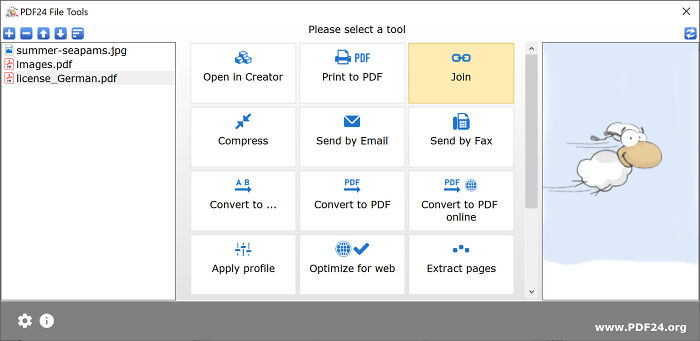 If your working with pdf documents and dont wanna pay for bs adobe subscription you can use the pdf24 toolbox has helped me with lots of documents has a lot of fixes for your pdf issues.
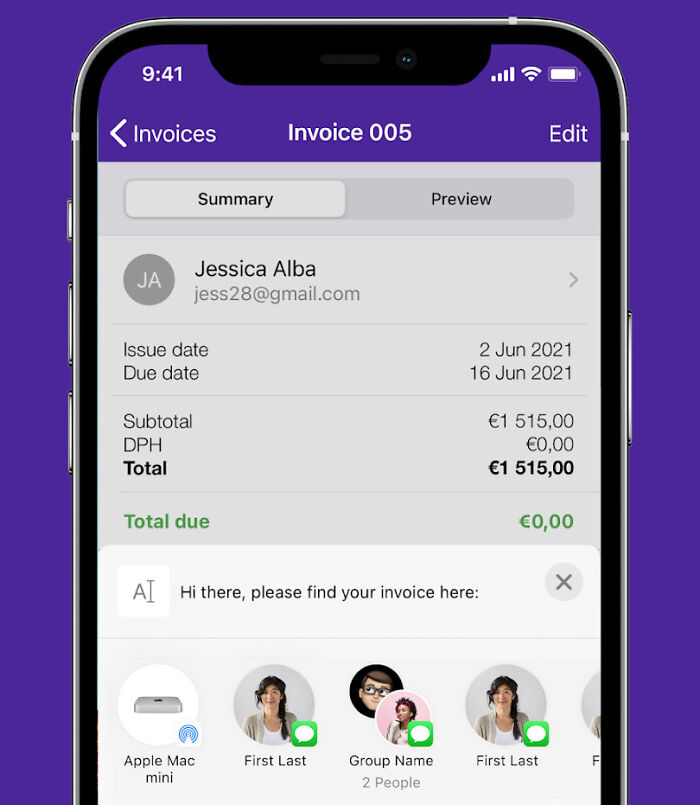 There is this app simply called “invoice maker”. The logo is purple with a piece of paper on it. I own a business and use it whenever billing client. Mind boggling how clean the invoices are, how easy the interface is, how there are no ads. I would pay good money for it, maybe up to $100/year.
Also, Anki is the most unspoken technological revolution in the history of learning and memorization. I truly, truly, cannot believe everyone doesn’t know about flash cards with spaced repetition systems (SRS). Almost printing press level power in this technology.
EDIT: people kept asking for links: invoice maker on google play
invoice maker on apple (this might be for mac, just search your iphone app store instead for iPhone)
Anki (this is the web version for your computer. there are apps too, but they tend to cost money. I bought the $30 or so iPhone app, which may sound expensive, but hey, no ads, amazing product)
Ffmpeg I do a lot of video processing (concatenating/encoding raw video and making clips from larger files). It utilizes my whole pc and is run from the command line (I use python scripts to batch things) Couldn't live without it.

BSD came first, is Posix compliant, and arguably better. GNU tools that made Linux possible were free before Linux was, and all things normally actually flow from those.
Load More Replies...
Gave upvotes to every post that actually explained what these mystifyingly named apps do.

I'm really surprised not a single person mentioned openoffice, which is a free version of Microsoft office but does all the same things. That saved my a*s through all of college

OO is no longer free but the LibreOffice fork of OO (written by the OO team) is still free and IS mentioned.
Load More Replies...
How did I only see Ubuntu on this list for Linux? how about Fedora? openSUSE? Mint? literally any Linux distro that lets you use something other than GNOME in the default installation?
Debian and several other distros produce 32 bit versions. Don't throw away old hardware that still works, use it for offline stuff. [ https://www.makeuseof.com/linux-distros-with-32-bit-support/ ]
Load More Replies... Surprised no one mentioned Greenshot for good screendumps , Powertoys from Microsoft , the whole Nirsoft library of apps and sysinterals suite. Kodi is awesome if you have your own library of videos and photos.
I was just about to mention Nirsoft, but I guess it’s kinda niche software? Like Testdisk and Photorec, absolutely great, but not things I’d recommend lightly to the average user.
Load More Replies... The apps I use extensively are: WhatsApp (to keep in touch with my adult children), TickTick (time management; I follow Joshua Best on YT -he's the best so far. My whole life is here and more), KetoDiet (icon with the fish; it calculates all the macros of my recipes; once they are in there and I'm satisfied, I don't use the app unless I need to check if I'm still on track).

War Thunder (What? I like it! And it looks good enough to be pay2play!)
In replies to myself, a list of free software and free sites worth checking out.
Project Gutenberg contains over 70,000 public domain books that are free to download. It's not just old material out of copyright, newer works and even software is uploaded. [ https://www.gutenberg.org/ ]
Load More Replies... Irfanview. Use it every day. Screenshot off anything in windows, crop in Irfanview. Scan anything, fix the background colour in Irfanview. Take a photograph, autocorrect colours in Irfanview. Image too big to email, cut the file size down by a factor of 5 in Irfanview. Need a 1.2 degree rotation for alignment. Irfanview.
I didn't see one thing that I find very useful mentioned: PDFSam Basic (PDF Split&Merge); free utility that enables you to manipulate PDF files in multiple ways, like merge multiple files, extract pages, split, mix, etc. You can also run it from a flashdrive, if you don't want to install it on your hard drive.
Gave upvotes to every post that actually explained what these mystifyingly named apps do.
I'm really surprised not a single person mentioned openoffice, which is a free version of Microsoft office but does all the same things. That saved my a*s through all of college
OO is no longer free but the LibreOffice fork of OO (written by the OO team) is still free and IS mentioned.
Load More Replies... How did I only see Ubuntu on this list for Linux? how about Fedora? openSUSE? Mint? literally any Linux distro that lets you use something other than GNOME in the default installation?
Debian and several other distros produce 32 bit versions. Don't throw away old hardware that still works, use it for offline stuff. [ https://www.makeuseof.com/linux-distros-with-32-bit-support/ ]
Load More Replies... Surprised no one mentioned Greenshot for good screendumps , Powertoys from Microsoft , the whole Nirsoft library of apps and sysinterals suite. Kodi is awesome if you have your own library of videos and photos.
I was just about to mention Nirsoft, but I guess it’s kinda niche software? Like Testdisk and Photorec, absolutely great, but not things I’d recommend lightly to the average user.
Load More Replies... The apps I use extensively are: WhatsApp (to keep in touch with my adult children), TickTick (time management; I follow Joshua Best on YT -he's the best so far. My whole life is here and more), KetoDiet (icon with the fish; it calculates all the macros of my recipes; once they are in there and I'm satisfied, I don't use the app unless I need to check if I'm still on track).
War Thunder (What? I like it! And it looks good enough to be pay2play!)
In replies to myself, a list of free software and free sites worth checking out.
Project Gutenberg contains over 70,000 public domain books that are free to download. It's not just old material out of copyright, newer works and even software is uploaded. [ https://www.gutenberg.org/ ]
Load More Replies... Irfanview. Use it every day. Screenshot off anything in windows, crop in Irfanview. Scan anything, fix the background colour in Irfanview. Take a photograph, autocorrect colours in Irfanview. Image too big to email, cut the file size down by a factor of 5 in Irfanview. Need a 1.2 degree rotation for alignment. Irfanview.
I didn't see one thing that I find very useful mentioned: PDFSam Basic (PDF Split&Merge); free utility that enables you to manipulate PDF files in multiple ways, like merge multiple files, extract pages, split, mix, etc. You can also run it from a flashdrive, if you don't want to install it on your hard drive.




































 No fees, cancel anytime
 then open in external browser


 and click "Open in External Browser"